Automatic note detection
Strike a key and Clavituner knows which one it is. Use the padlock to hold a note while you work on it. It then appears in red, so you can’t miss the locked state.
Clavituner – Piano Tuner
Precise measurement, the right tuning curve for every instrument, and everything you need for a clean tuning.


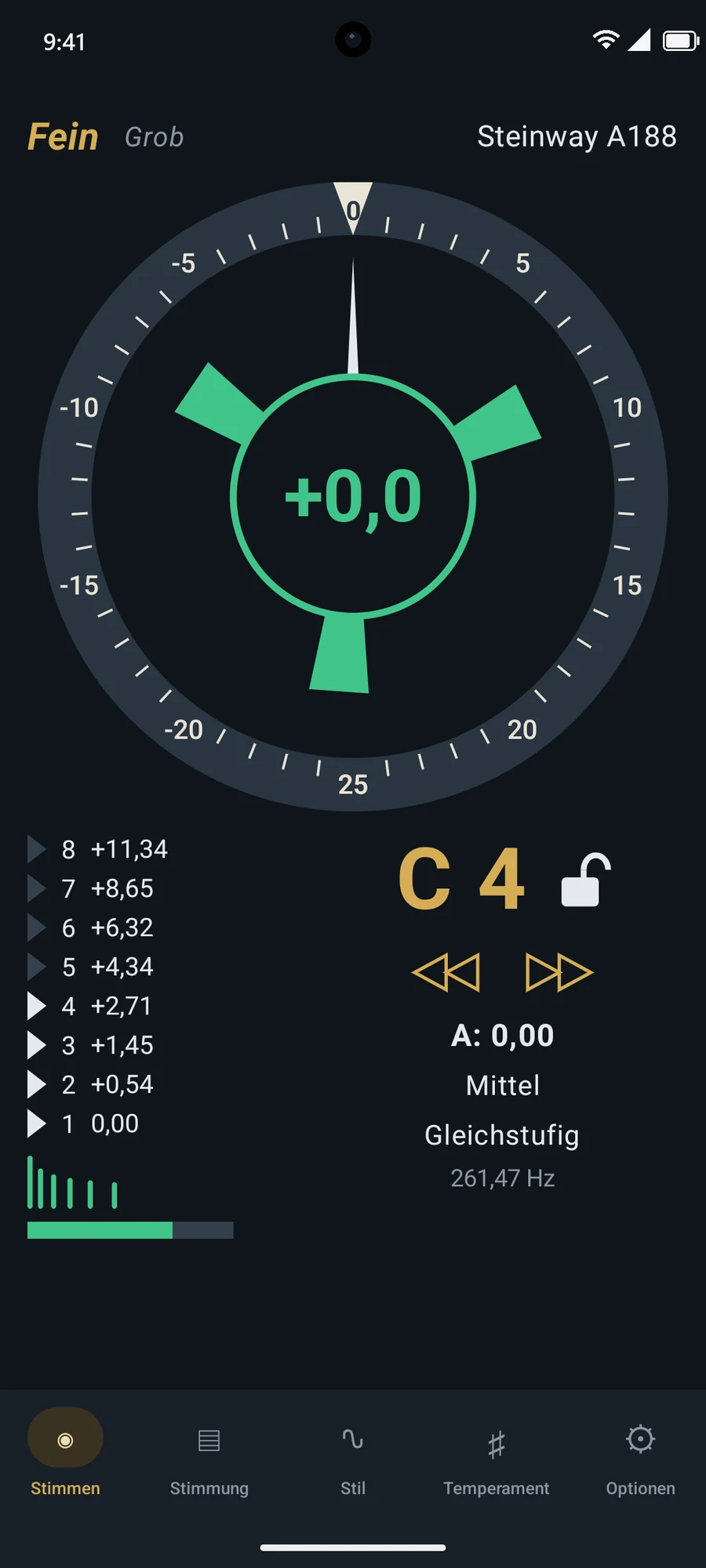
As you tune, Clavituner automatically recognises each key, measures its inharmonicity and keeps calculating the tuning curve. Your tuning is saved as you go. You strike and tune; the app takes care of the rest.
The display
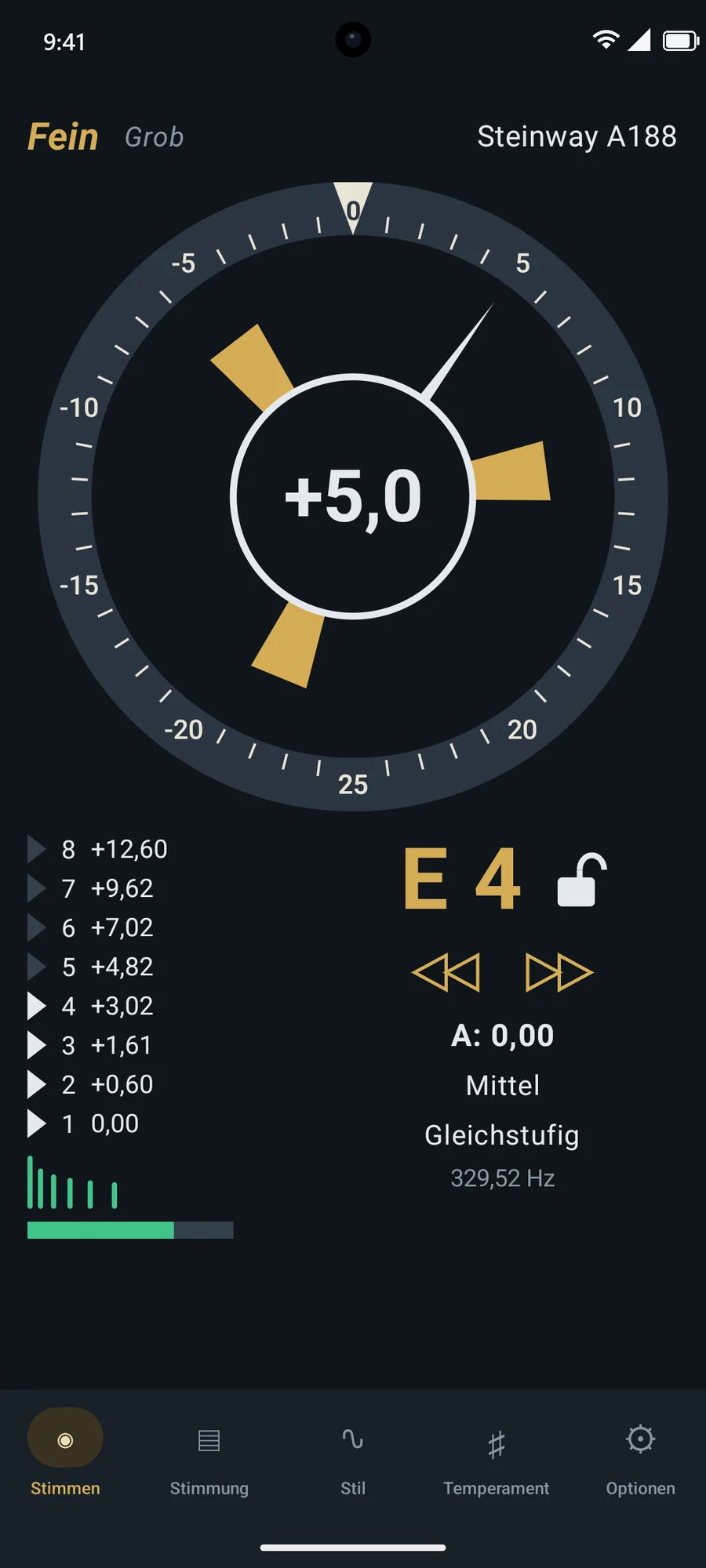
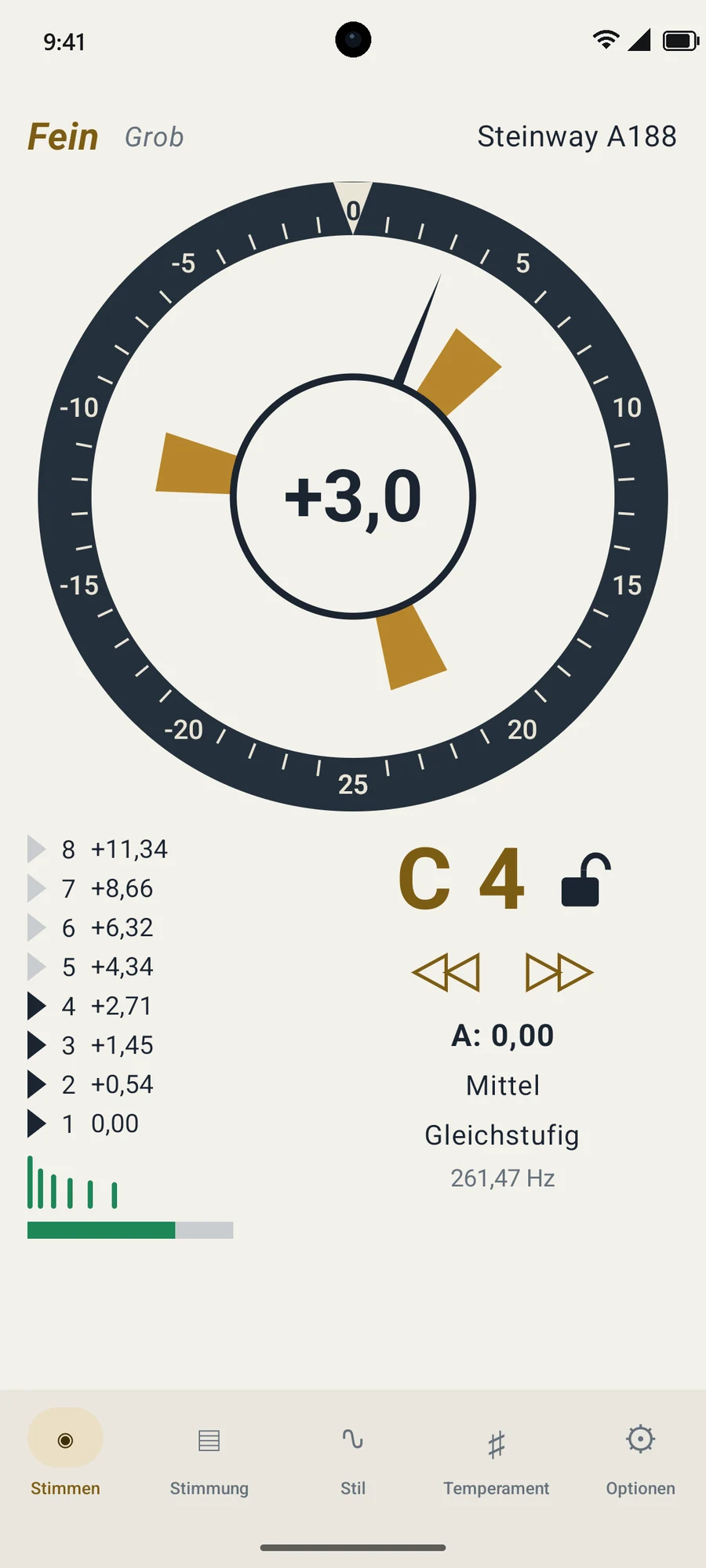
The large round scale shows the deviation in cents, and the needle and centre figure show the same value. Between them turns the rotor: to the right when the string is sharp, to the left when it’s flat. The closer you get, the slower it spins.
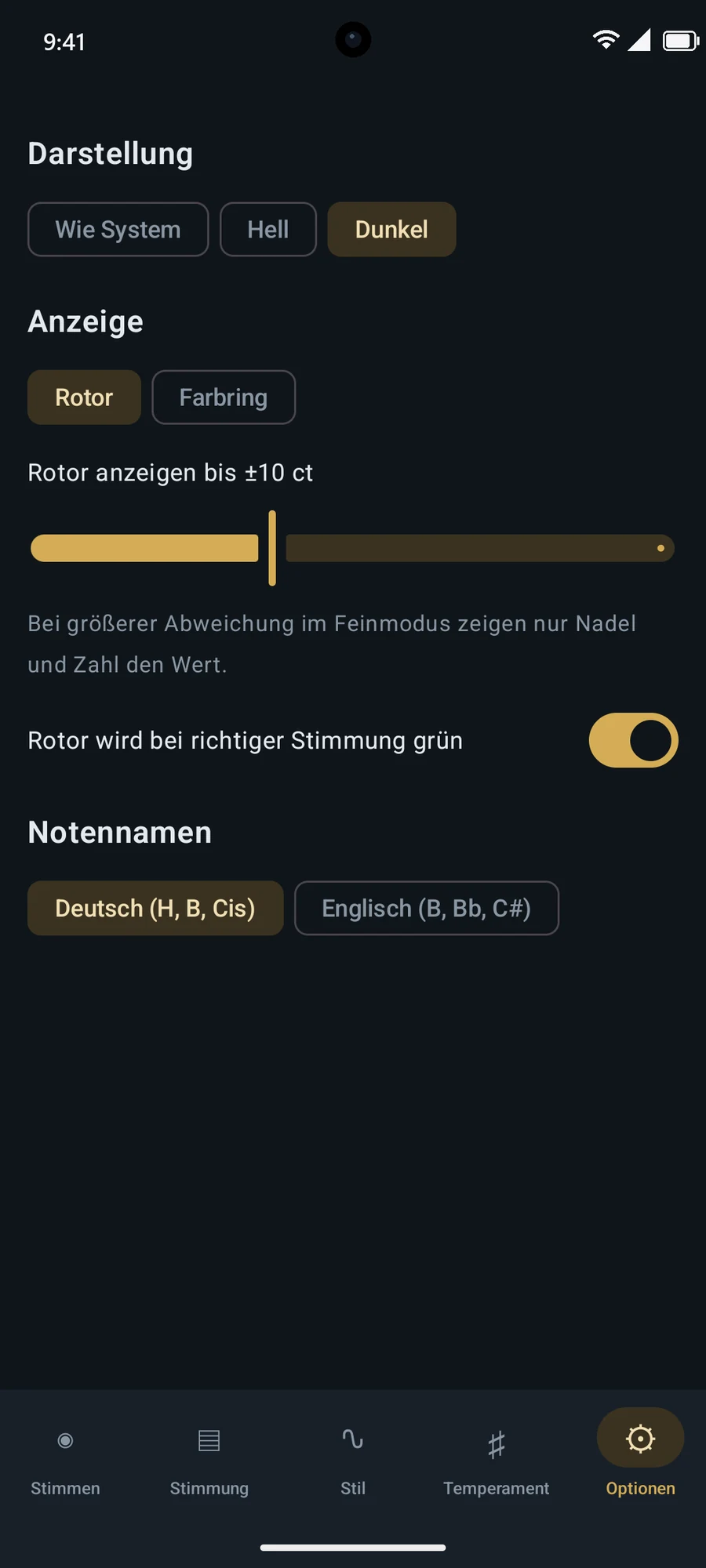
When the note is in tune, the figure, circle and rotor turn green. You barely have to look; the corner of your eye will do. You decide how far the rotor stays active and whether it turns green.
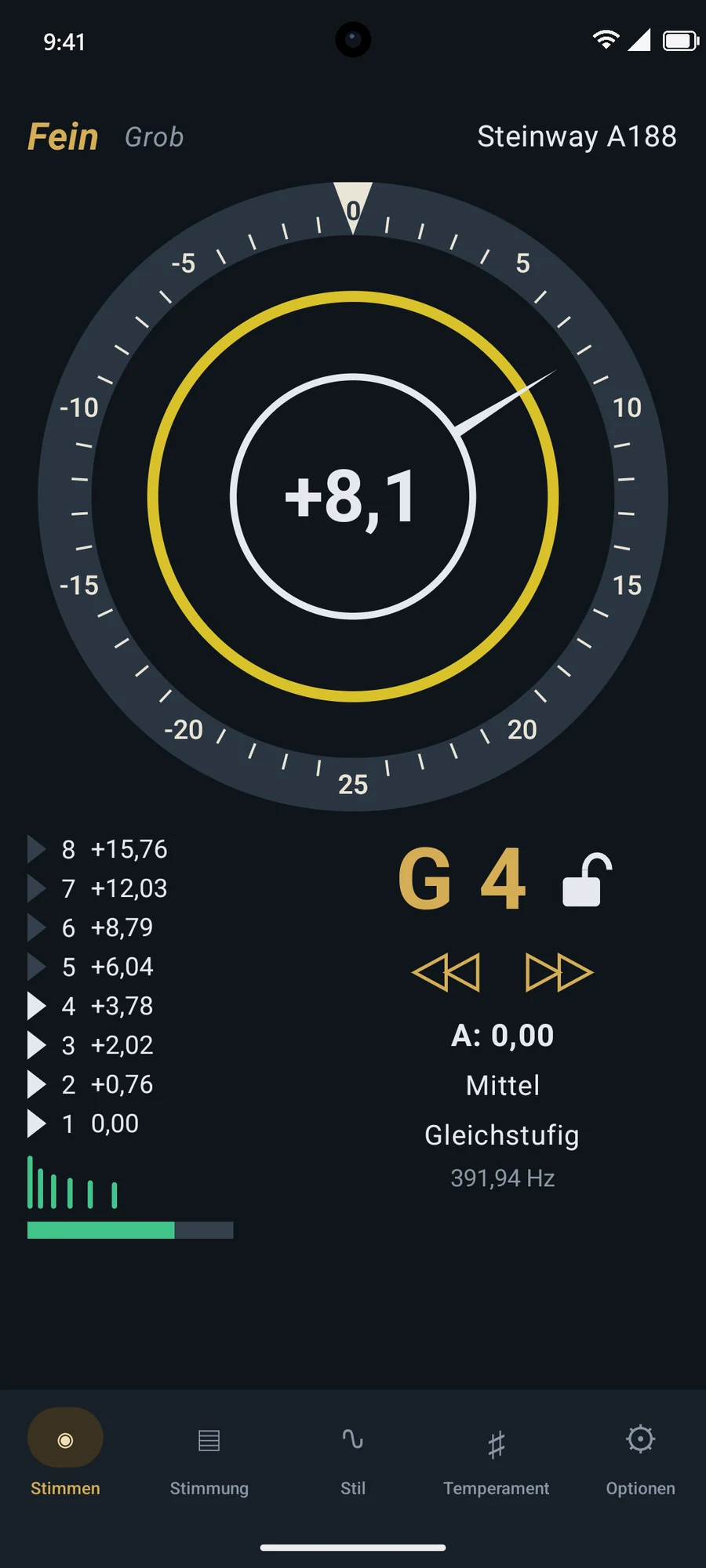
Colour ring
Not a fan of rotors? Choose the colour ring. In tune, it rests green against the inner circle. The further off you are, the further out it moves, shifting through yellow to red, up to ±25 cents at the scale. Close to the target, it is especially sensitive.
The measurement
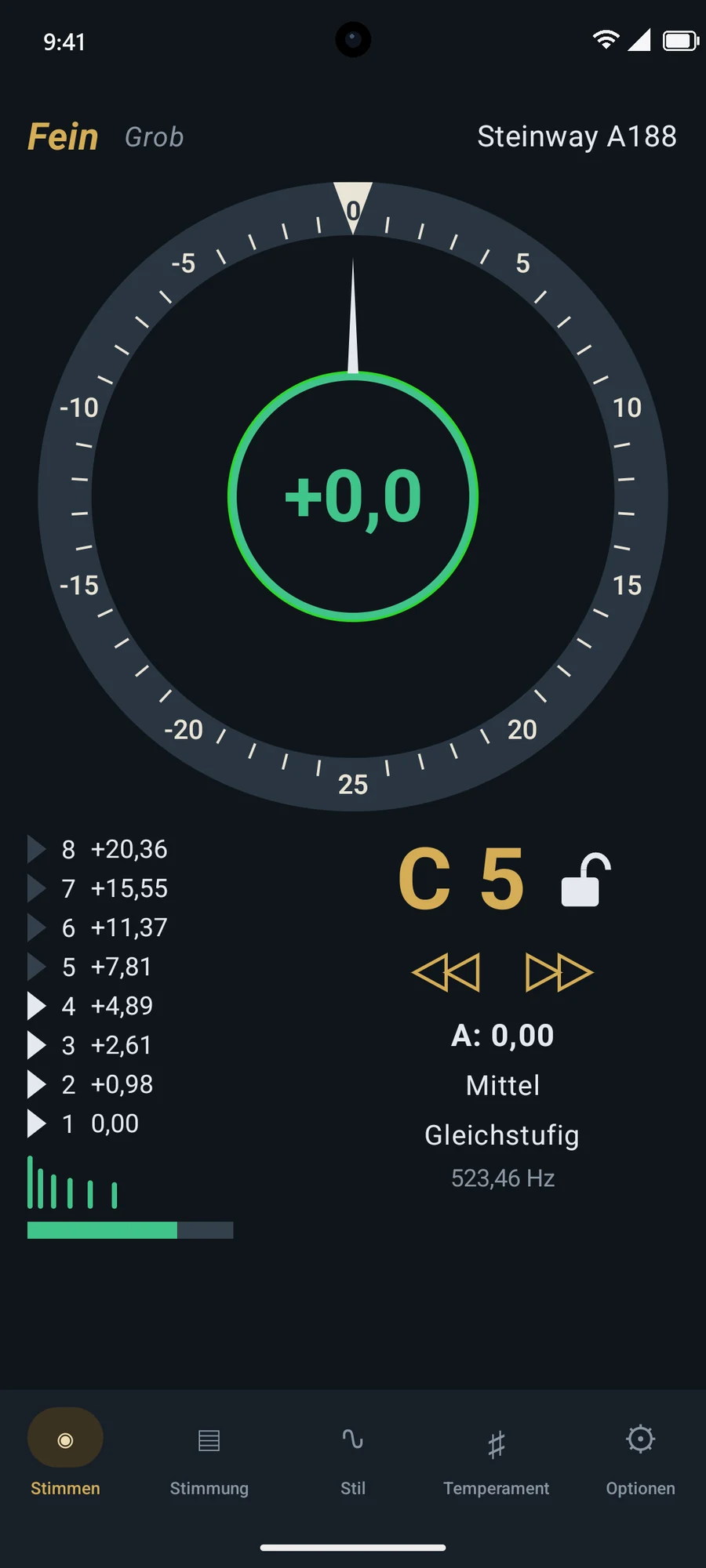
Strings are stiff, so their partials vibrate slightly higher than whole-number multiples of the fundamental. This inharmonicity varies with the instrument and the register: a small upright has very different bass values from a large grand.
Clavituner measures the inharmonicity of every key you strike directly from its sound, and gets to know the instrument better with each note. Those measurements produce the tuning curve across all 88 keys: the stretch that makes bass and treble truly fit the middle register.
The partial list shows you what’s being heard right now: up to eight partials, each with its distance from the first partial. The small symbol beside it turns green once the key has been measured.
Strike a key and Clavituner knows which one it is. Use the padlock to hold a note while you work on it. It then appears in red, so you can’t miss the locked state.
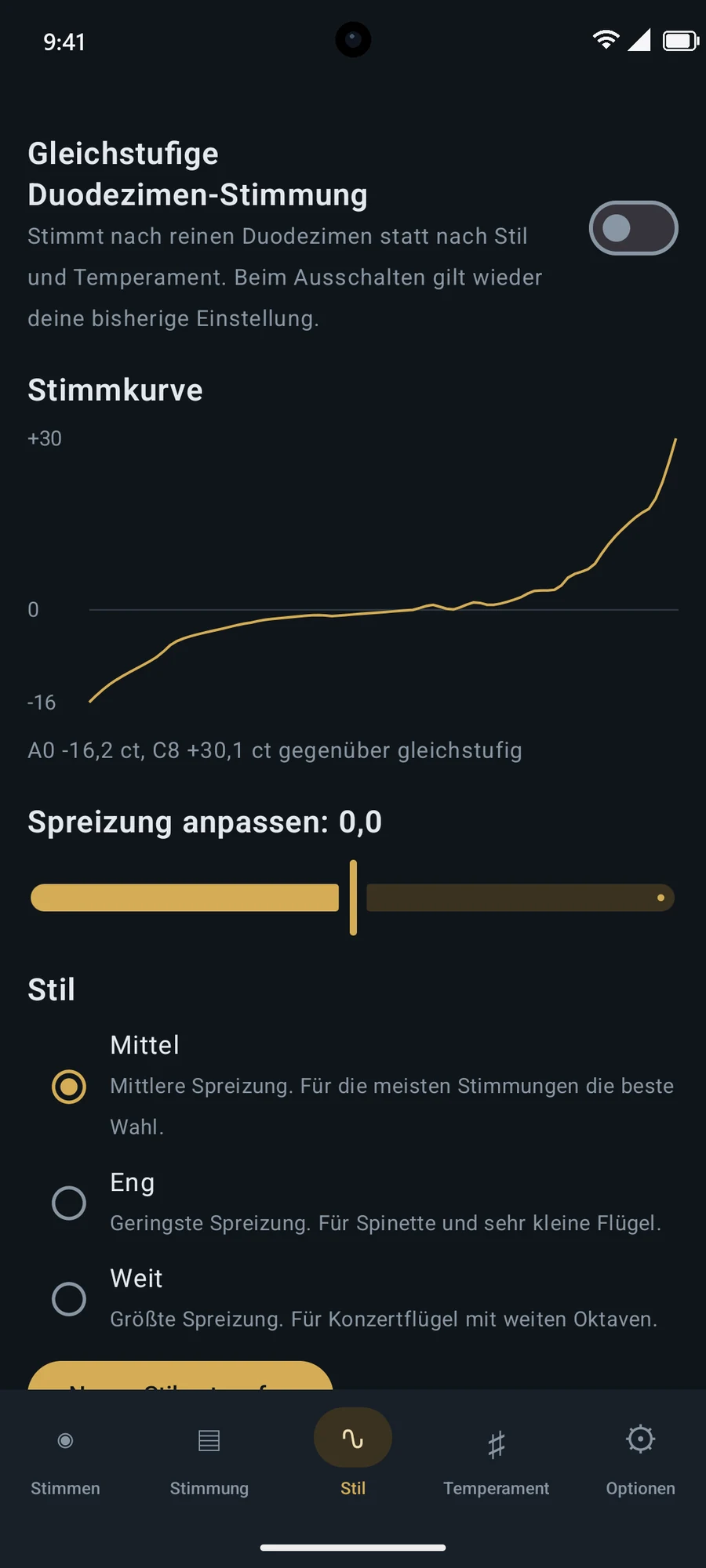
Narrow for spinets and very small grands, Medium for most tunings, Wide for concert grands. You can shift the stretch from −3 to +3 as well, and see the curve change immediately.
Choose which intervals apply in each range, with beat rate and weight. Clavituner turns them into a smooth curve and shows it to you as you design.
The display responds to the sound of the string, not to every noise in the room. With no note detected it stays empty, and the rotor fades out gently.
Pitch raise
In coarse mode the range grows to as much as ±200 cents, so even a badly flat instrument is recognised reliably. Tap the scale to switch between ±25, ±50, ±100 and ±200 cents.
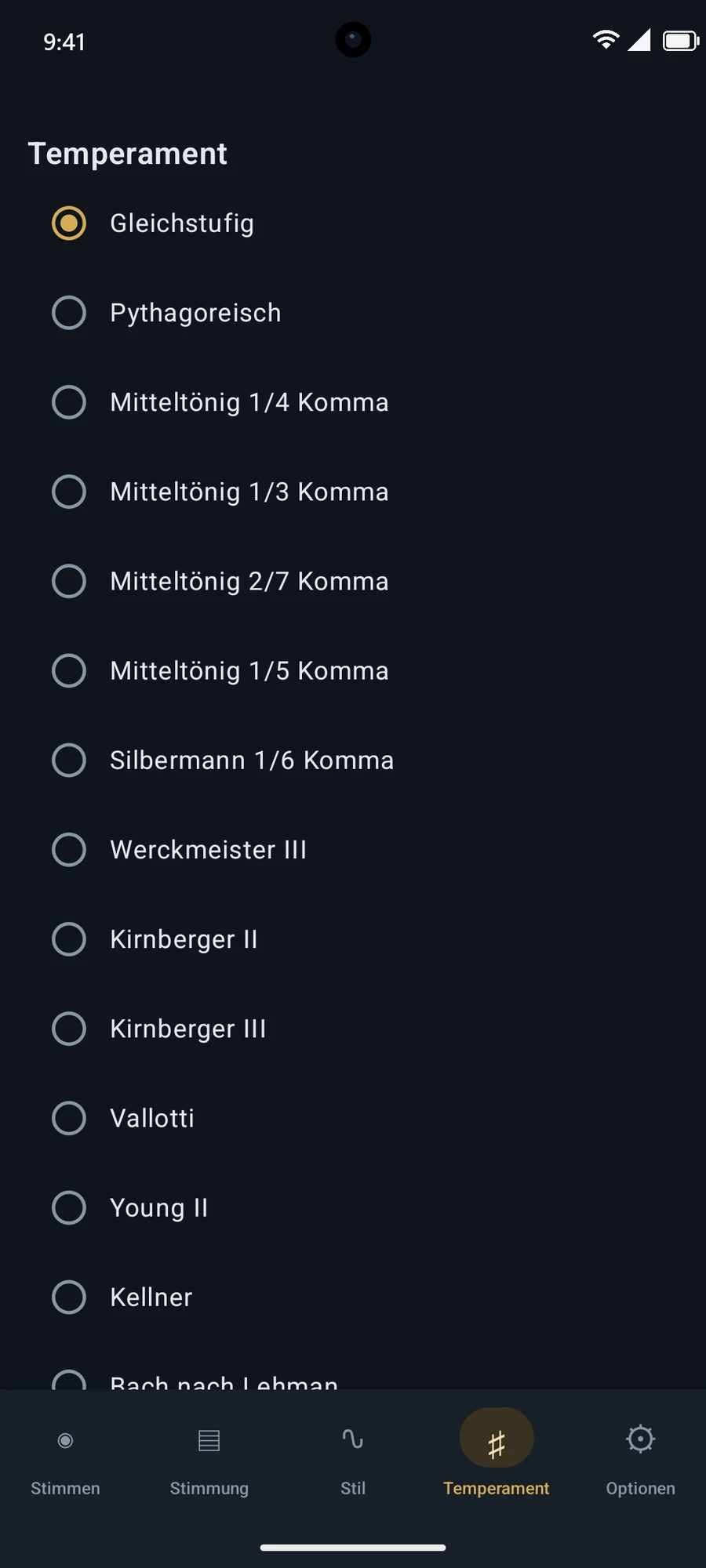
During a pitch raise, strings you’ve already tuned drop again as tension builds in the instrument. So Clavituner remembers each key’s starting value and shows you the right overpull: the triangle on the scale marks where the string needs to go.
Set the overpull anywhere from 0 to 50 percent; it adapts to the register automatically. For a single pass, it can also be used in fine mode.
Equal twelfths
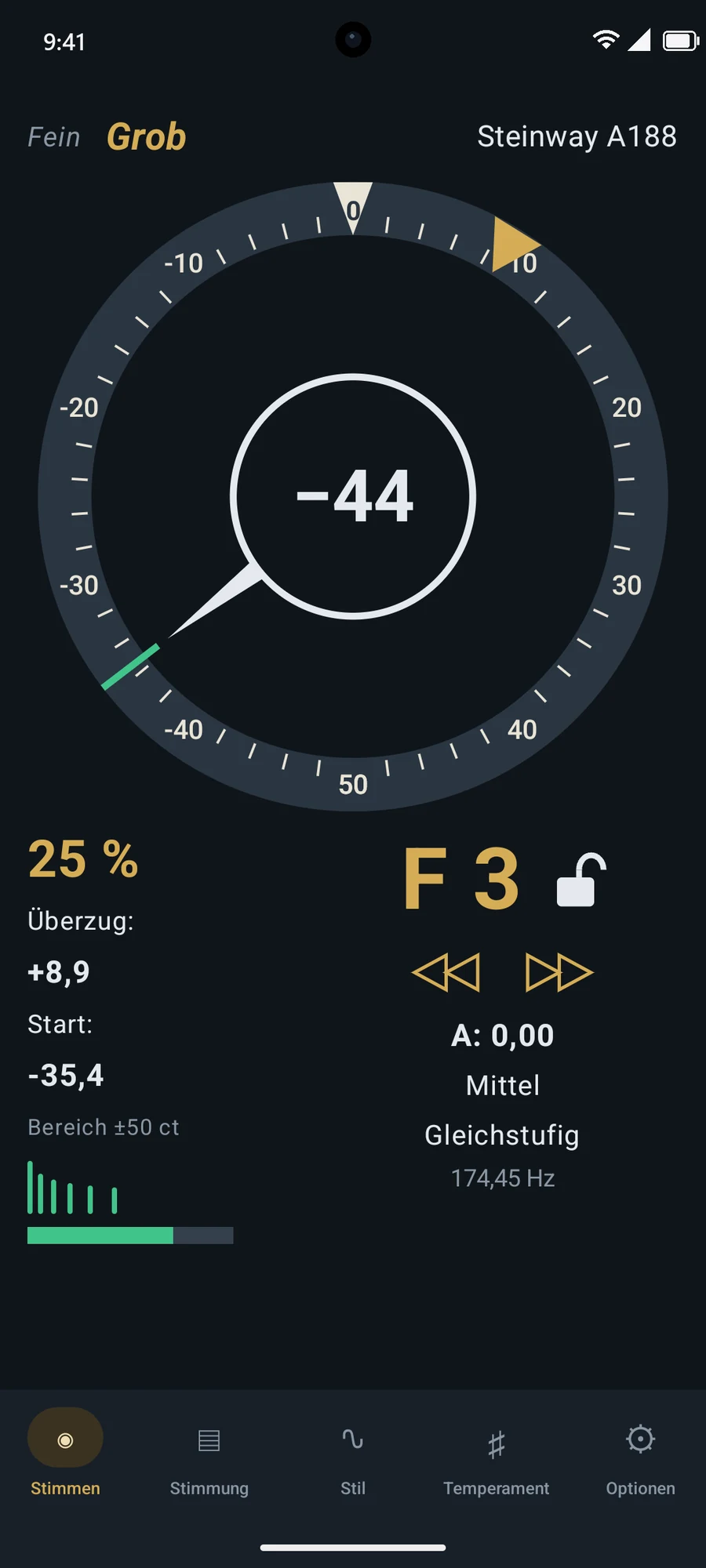
Instead of the octave, this divides the twelfth evenly: an octave plus a fifth. The result is a naturally stretched tuning designed for the whole compass, with no style settings needed.
One switch is all it takes. Turn it off and your previous style and temperament apply again straight away.
Temperaments
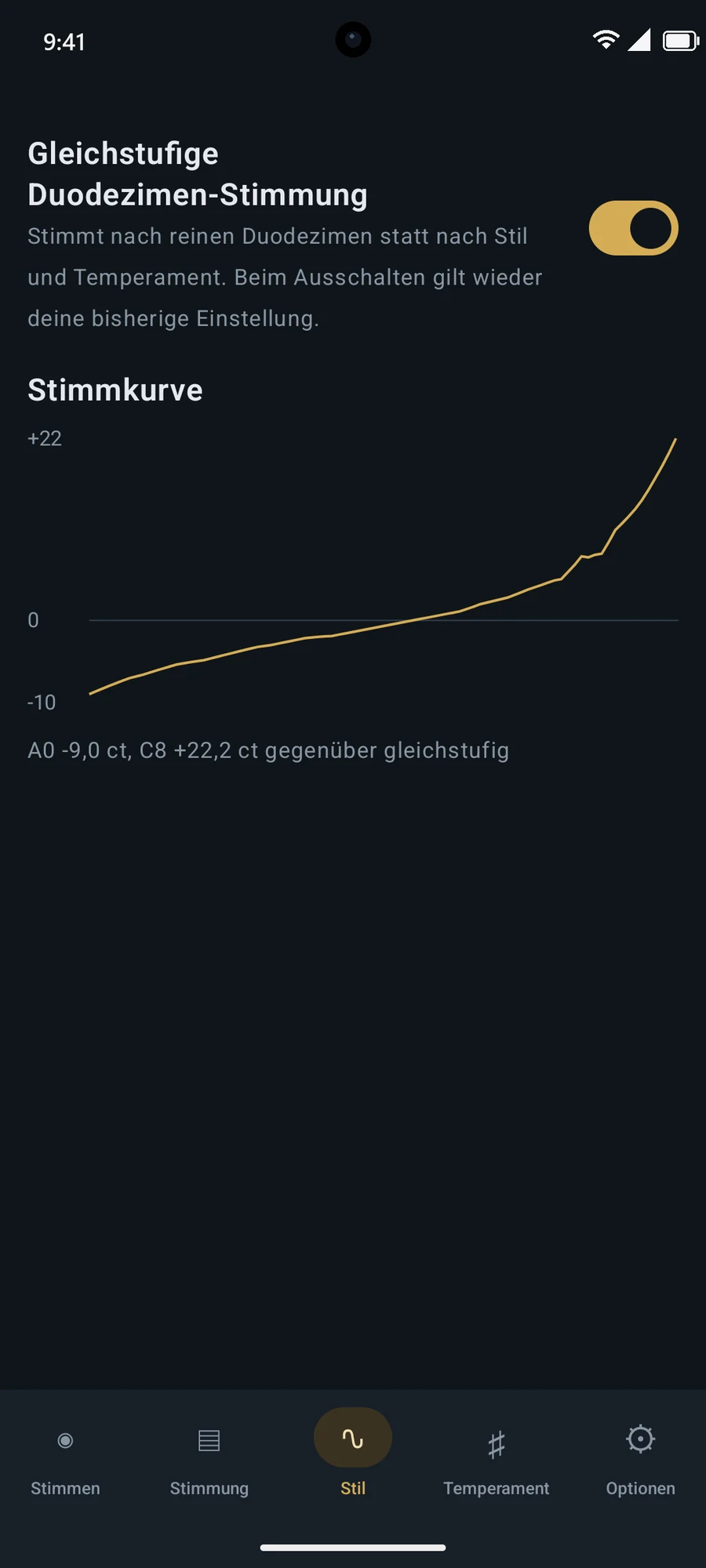
14 historical and modern temperaments are built in, each with its exact deviation per note in cents. To create your own, just enter the deviation for each of the twelve notes.
Landscape
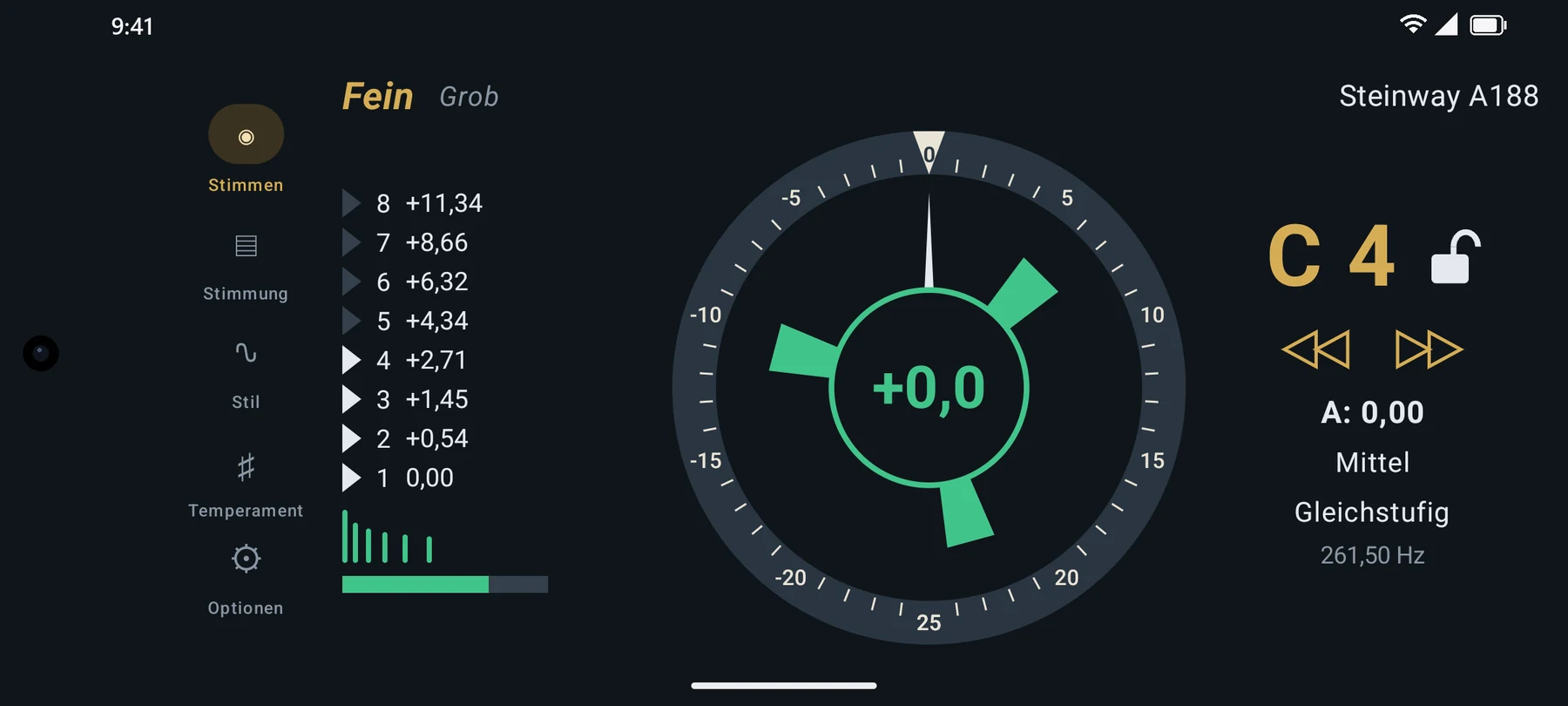
Turn your device and the display takes the full height. Partials, scale and tuning details sit side by side, which is ideal when the device stands on the music desk.
Tunings
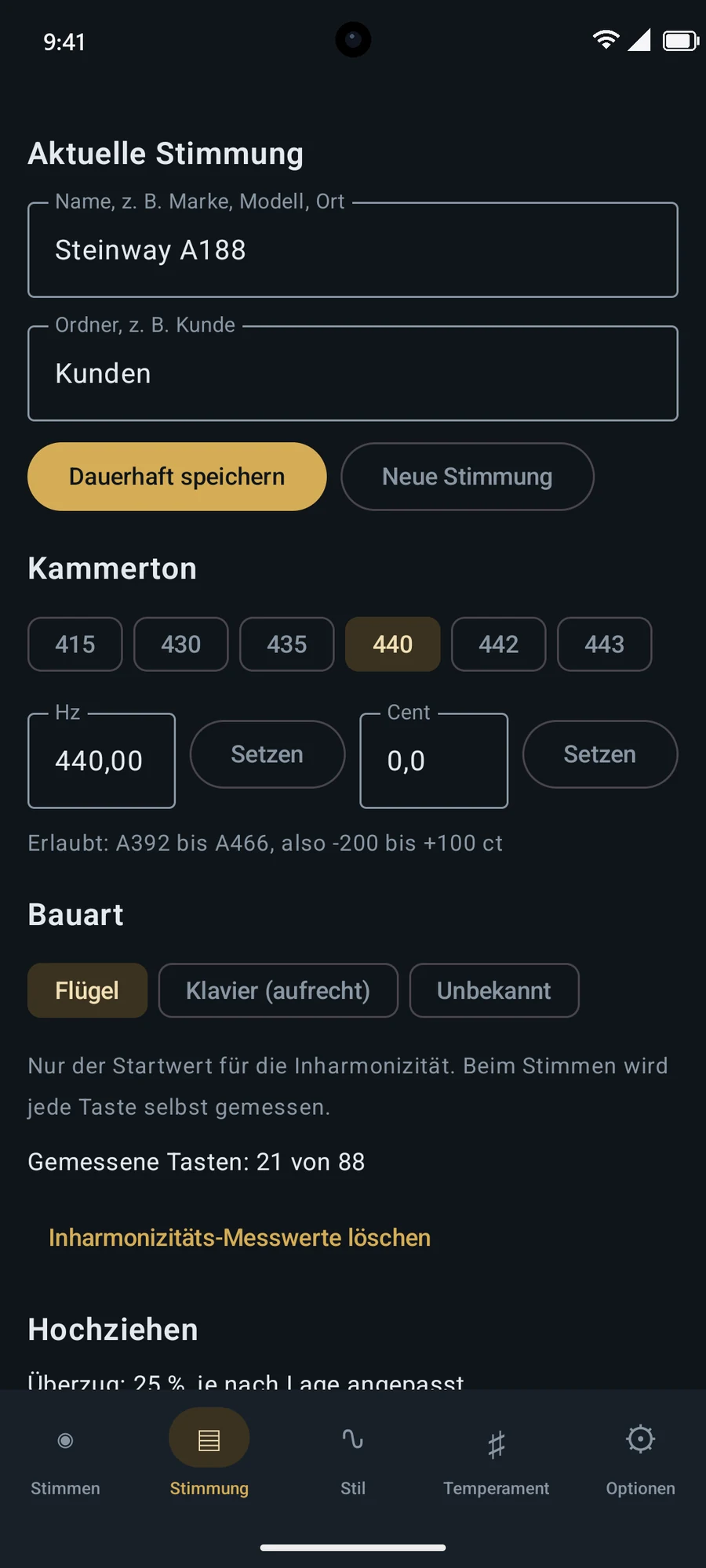
Save each tuning under its make, model or location, and organise them in folders, by client for example. Measurements, pitch, style and temperament stay together. At your next visit, Clavituner already knows the instrument.
Set concert pitch freely from 392 to 466 Hz, with shortcuts for 415, 430, 435, 440, 442 and 443 Hz. Unnamed tunings are saved automatically, and the latest 15 are kept.
Appearance
Light for daytime, dark for the stage, or automatic to follow your system. Note names in German (H, B, Cis) or English (B, Bb, C#).
How it works
Choose the concert pitch and piano type and give the instrument a name. The type only supplies a starting value; Clavituner measures everything else itself.
For most instruments, the Medium style and equal temperament are the right place to start. The tuning curve shows you the effect of your choice immediately.
If the instrument is far off, go through all the keys once in coarse mode. Clavituner notes the starting values and gives you the right overpull.
Switch to fine mode and strike key after key. Each note is detected and measured, and the rotor guides you to the target. Keep the microphone close to the instrument.
Clavituner saves as you go. Name the tuning and it’s kept permanently, ready for your next visit with all its measurements.
No. Clavituner works with your device’s built-in microphone. For the tuning itself, you’ll need your usual tuning tools.
The curve shows how far each key departs from its mathematically equal-tempered pitch. Because strings are inharmonic, high notes must sit slightly higher and low notes slightly lower for the octaves to sound clean. The needle still shows 0 when a key reaches the target on that curve.
Fine is for the actual tuning, with a ±25 cent range and the partial list. Coarse is for raising or lowering a badly out-of-tune instrument, with a wider range and overpull.
No. Each measured key improves the curve, and missing values are derived from neighbouring keys and the piano type you chose. Measuring simply happens as you tune.
No. Clavituner needs no account and no cloud. Measuring happens on your device, and your tunings are stored there.

The professional tuning app for upright and grand pianos.
For Android and iOS.